Too big to open?Not anymore.
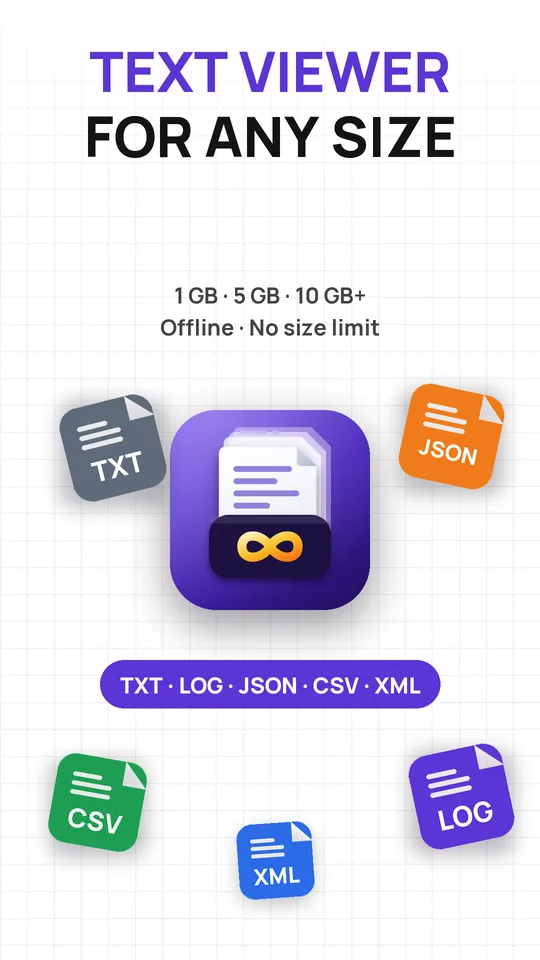
Huge File Viewer is the large text file viewer for Android that opens 1 GB, 5 GB and 10 GB+ files in seconds. Logs, CSV exports, JSON and SQL dumps scroll smoothly on an ordinary phone, offline, with no size limit.
Free to download. Works offline. No account, no upload.
- .txt
- .log
- .csv
- .json
- .xml
- .sql
- .gz
- .tar.gz
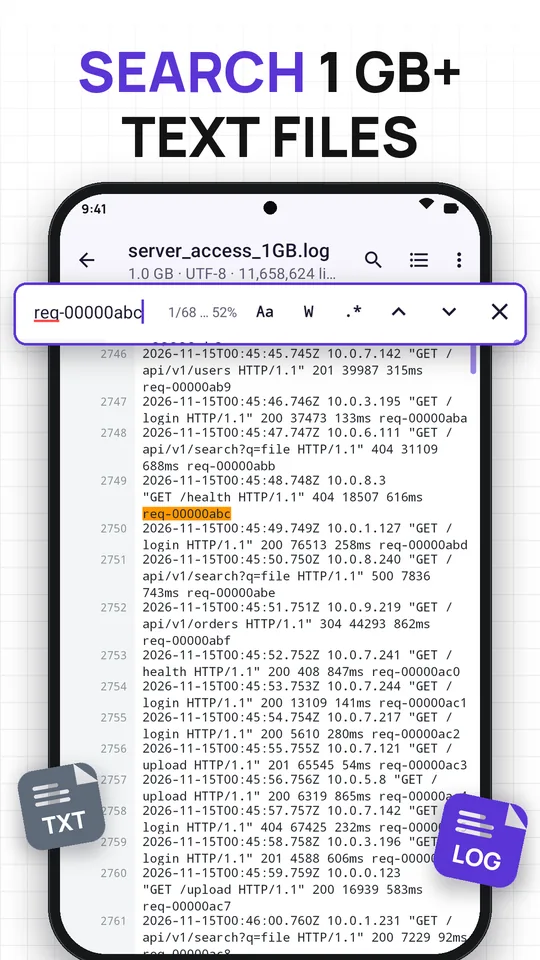
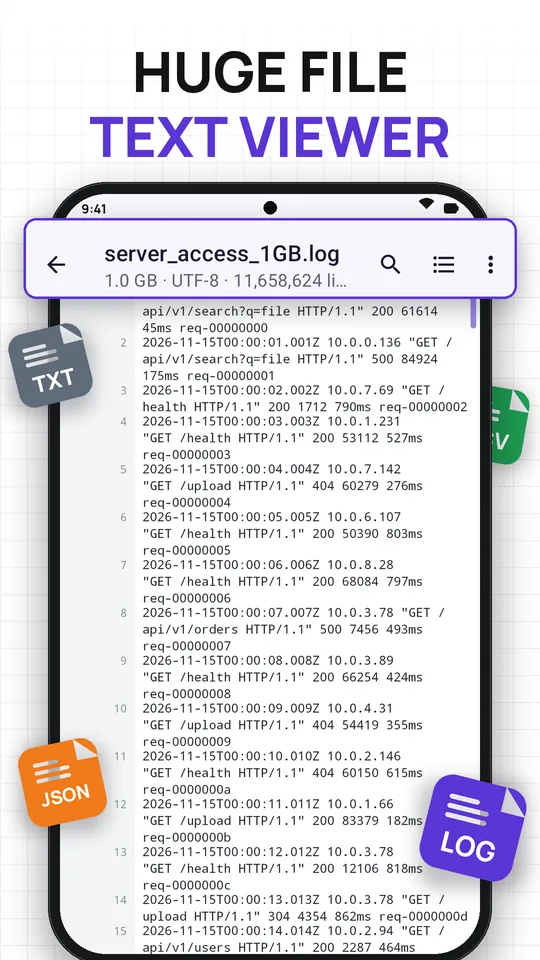
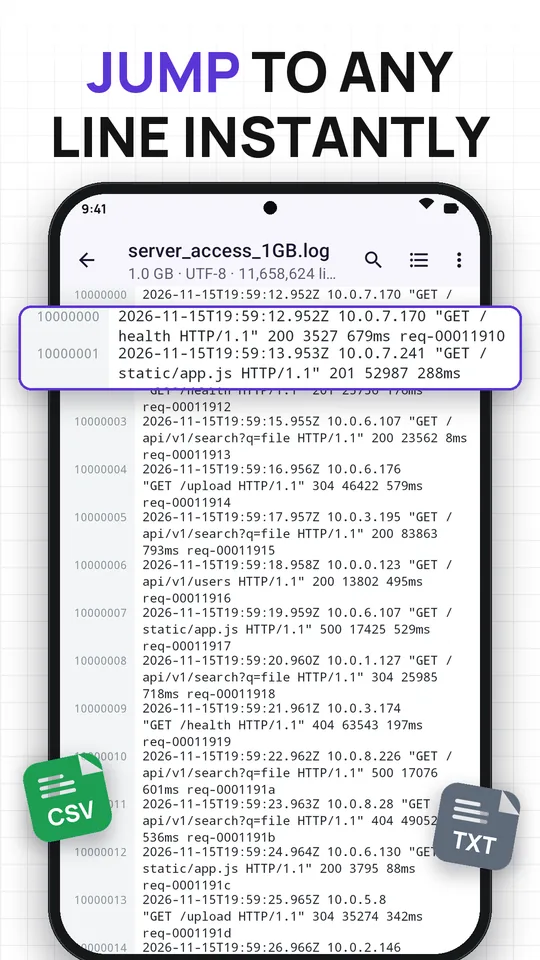
Other apps load the whole file and crash.This one reads only what you see.
The file is indexed in the background while the first page appears right away. Only the visible lines are kept in memory, so open big files that every other text viewer refuses.
Features
A huge file viewer that does more than open.
Search, filter and read giant logs and data files the way you would on a laptop.
No size limit
1 GB, 5 GB, 10 GB and beyond. Files with billions of short lines fit in a compact index, and memory use stays low.
Search the whole file
Match case, whole word or regular expressionsPro across every gigabyte, with a live progress bar.
Go to any line
Jump to line 10,000,000 or any percentage of the file, or drag the fast scrollbar across gigabytes in a second.
A real log viewer
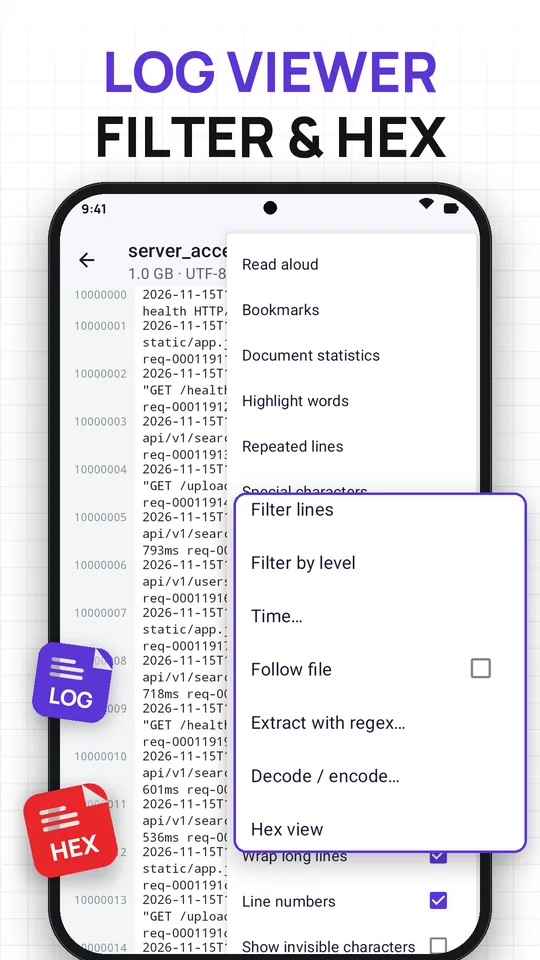
ERROR, WARN, INFO and DEBUG in colour. Filter by log levelPro or time range, and follow a growing logPro.
JSON, XML and CSV
Collapsible JSON treePro and XML tree. Big CSV files as a table with sort, filter and column statsPro.
Every text format
TXT, LOG, CSV, TSV, JSON, XML, YAML, SQL, MD and code. Open .gz directly or pick a file inside a .zip. Encoding is detected for you.
- Hex view
- Compare two files
- Bookmarks
- Highlight words
- Read aloud
- PDF export
- File statistics
- Dark theme
New in this update
Built for real logs.Now even sharper.
Five new tools for the moments you are digging through a production incident on your phone.
Multi-rule line filtersNew
Combine keep and hide rules with words or regex, then save the filter and reuse it on the next log.
All matches in a listNew
See every search hit with its line number in one list, and tap any of them to jump straight there.
Split huge filesNew
Cut a giant file into smaller parts, or save just a range of lines as a new file to share.
Bookmarked lines onlyNew
Mark the lines that matter while you read, then show only those to review the story of an incident.
.tar and .tar.gz bundlesNew
Open support and log bundles directly and pick the file you need, no unpacking on a computer.
Same speed, any size
Every new tool works on the full file, whether it is 50 MB or 10 GB, without loading it into memory.
How it works
Three steps to the line you need.
Pick or share a file
Open it from your file manager, Google Drive, email, a chat app or the Share menu.
Read right away
The first page appears instantly while the rest of the file is indexed in the background.
Search, filter, jump
Find the error, filter by level or time, bookmark lines and export what you found.
Screenshots
See a 1 GB log open on a phone.
Free and Pro
Big files are free. Power tools are Pro.
Free
Open anything
- Open, scroll and search files of any size
- Go to line, bookmarks and highlights
- Log colours, time and word filters
- XML tree, hex view, compare, read aloud
- Never an ad while you scroll a file
The free version may show ads. Watch a short video for a 2-hour Pro Pass.
Huge File Viewer Pro
Every tool, no ads
- Regular expression search
- Log level filters and follow mode
- Collapsible JSON tree
- CSV sort, filter, statistics and pivot
- Export lines or whole files to PDF
Purchased in the app through Google Play. Prices vary by country.
Privacy
Your logs are yours.They never leave the phone.
Fully offline
Every file opens without an internet connection.
No upload, no account
Files are read on your device. There is no sign-in.
Only what you pick
No "All files access". Only files you open or share are read.
Read-only
Your original file is never changed. See the privacy policy.
More apps
More PDF and document apps from FightTech.
Offline readers, editors and converters for every file on your phone. All free on Google Play.
 PDF ReaderFast PDF viewer with read aloud, night mode, highlights and signatures.
 PDF EditorSign PDFs, fill forms, merge, compress and add watermarks.
 PDF ConverterWord, Excel, PowerPoint and images to PDF, and PDF to Word or JPG.
 PDF Voice ReaderListen to PDFs and books with text to speech, or save them as audio.
 PDF StudyTurn PDF highlights into flashcards and quizzes with spaced repetition.
 Text ViewerTXT, log, JSON, CSV, XML and code files, opened fast.
 Large File ReaderAnother way to open big TXT, LOG, CSV and JSON files of any size.
 Markdown ReaderOpen, edit and preview .md files, then export them to PDF.
 Markdown to PDFConvert Markdown and text to clean PDF, or PDF back to Markdown.
 Receipt ScannerScan receipts to PDF and send expense reports.
Is there really no file size limit?
Yes. Huge File Viewer reads the file piece by piece and never loads it all at once, so the limit is your storage, not your phone's memory. 1 GB, 5 GB and 10 GB+ files open the same way.
Why do other apps crash on my 3 GB log?
Most text viewers load the entire file into memory. Huge File Viewer keeps only a compact line index and the lines on your screen, so memory use stays low.
Which file types can it open?
Any plain-text file: TXT, LOG, CSV, TSV, JSON, XML, YAML, INI, CONF, MD, SQL dumps, HTML and source code. Compressed .gz files open directly, and you can pick a file inside a .zip, .tar or .tar.gz log bundle.
Does it need an internet connection?
No. Every file opens offline. Files are read on your phone and are never uploaded.
Can I edit the file?
No. It is a read-only viewer, so your original file never changes by accident. You can still save a line range, split a huge file into parts, or export lines to PDF.
What is free and what is Pro?
Opening, scrolling and searching files of any size is free. The free version may show ads, never while you scroll a file. Pro removes ads and unlocks regex search, log level filters, follow mode, the JSON tree, CSV sort, filter and statistics, and PDF export.
Can I open a file from Google Drive, email or a chat app?
Yes. Tap the file and choose Huge File Viewer, or use the Share menu. The app only opens the files you pick or share and does not ask for All files access.
Open the file every other app gave up on.
Huge File Viewer: the text viewer and log viewer for files of any size. Free on Google Play.
Android. Offline. No account.